


We list new properties every day. Learn more about how our auctions work below – and if you’ve still got questions, we’re here to help!
Conditional Auctions allow the successful bidder a set period to complete their due diligence, arrange finance and satisfy any agreed conditions before the sale proceeds.
The full Legal Pack for each property, including the Special Conditions, is available to view on our website before the auction. Prepared by the vendor's solicitor, the Legal Pack enables prospective purchasers and their advisers to carry out the necessary due diligence before placing a bid. The Sale Memorandum and the Reservation Agreement, which will be entered into on behalf of the successful bidder and the vendor following a successful auction, are also available to review in advance.
The Reservation Agreement forms part of the Conditional Auction process and sets out the rights and obligations of both parties following a successful bid. BidX1 strongly recommends that prospective purchasers engage appropriate professional advisers and complete all necessary due diligence before bidding.
Following the auction, the successful bidder must pay the non-refundable Reservation Fee. Once payment has been received, the Reservation Agreement is executed on behalf of both the successful bidder and the vendor, and the property is reserved exclusively for the successful bidder for an agreed period (typically 28 days). During this time, the successful bidder can arrange their finance before exchanging contracts.
At the end of the reservation period, contracts are signed and a completion date is agreed with the vendor.
The Reservation Agreement forms part of the conditional auction process and sets out the rights and obligations of the parties following a successful bid.
It secures the property for the successful bidder for an agreed period (typically 28 days). During this time, the seller cannot market the property or agree a sale with another buyer.
Once the Reservation Fee has been paid, BidX1 will issue the Reservation Agreement on behalf of the successful bidder and the vendor.
The Reservation Fee is a non-refundable payment applicable to the successful bidder to secure the property exclusively.
It gives the successful bidder an agreed period (typically 28 days) to arrange their finance without the risk of the property being sold to another buyer. The Reservation Fee payable for each property is displayed on the relevant lot listing.
The Reservation Fee is payable in addition to the purchase price and must be paid within 1 hour of the auction closing.
You should only bid once you are satisfied with the property information and your ability to proceed. Once the Reservation Agreement is issued, you will be committed under the agreed terms of the sale.
If you withdraw after agreeing terms or paying a Reservation Fee, charges may still apply in line with the terms of the sale.
BidX1 strongly recommends that you engage appropriate professional advisors and complete all necessary due diligence before bidding. Instructing a solicitor in advance will also help ensure a smoother transaction once you have secured the property.
If you don’t have a solicitor in place and would like a recommendation, please contact us.
Solicitor details must be provided prior to the Reservation Agreement being issued. Please provide these details within 24 hours of the auction closing.
Timelines for Conditional Auctions can be flexible and vary depending on the property, but typically you are given up to 56 days to exchange and complete. Bidders are given clear deadlines from the outset, so expectations are transparent throughout the process.
Yes, many buyers use a mortgage to purchase through Conditional Auctions. The extended completion timeline provides more time to arrange financing.
Potentially, yes. However, auction purchases generally suit buyers who are in a position to move quickly.
Before committing, you should make sure your property sale, or finance arrangements can meet the required completion timeframe.
We generally hold monthly auctions, but you don't have to wait until auction day to make an offer.
Simply click the 'Make an Offer' button on the property page to submit your offer.
Conditional Auctions are suitable for all property types, regardless of condition, price or location.
Browse our current properties here, and join our mailing list to be the first to hear when new properties become available across the UK.
Get in touch with our team, who can discuss your options and help you decide on the best sale strategy:
+44 20 4615 7900 | onlineauction@uk.bidx1.com
You can also read more about the benefits of selling with BidX1 here.
Yes – simply click ‘Book a Viewing’ on the relevant property page and choose a time and date that works for you.
If viewings haven’t been listed yet, you can sign-up to be notified as soon as they are available.
A member of our team will be in touch to arrange a viewing at a suitable time.
Yes – surveyors are welcome to attend one of the viewings.
Yes – simply click 'View Legal Pack' on the relevant property page to download the documents.
The vendor's solicitor prepares the Legal Pack, which typically contains the Special Conditions of Sale, title documents, leases and other legal information relating to the property. The Reservation Agreement, which the successful bidder and vendor will be required to enter into following a successful auction, is also available to review in advance. These documents will help you and/or your legal adviser make an informed decision about the property.
It’s important to complete all necessary due diligence in advance of the auction and we advise potential purchasers to check that they have read and understood all the various legal documents and Terms & Conditions prior to bidding.
BidX1 strongly recommends that you engage relevant professional advisors to carry out this due diligence.
The vendor’s solicitor is best placed to answer questions relating to the legal documents for the property. The contact details for the vendor’s solicitor are listed on each property page.
Yes – properties are sometimes withdrawn from the auction. This is often because the Legal Pack has not been prepared with enough time for potential buyers to complete their due diligence.
In most cases, these properties will be re-offered at a future auction date.
Yes – please submit your offer by clicking the ‘Make an Offer’ button on the property page or contact the relevant BidX1 agent if you wish to discuss this; his/her contact details will be listed on the property listing.
You can make an offer at any time by clicking the ‘Make an Offer’ button on the relevant property page.
Please note that submitting an offer does not constitute a binding sale, the offer is subject to review and approval by the vendor.
Pricing at Auction |
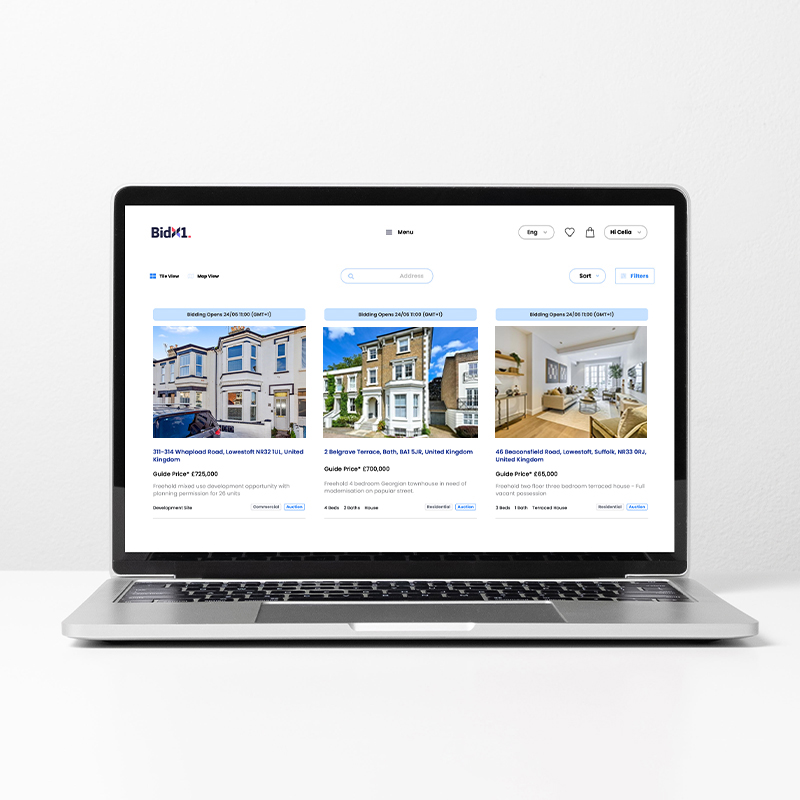

To take part in the auction, all bidders must complete our online Registration Process.
BidX1 is obliged by applicable Anti Money Laundering legislation to complete various checks and verifications – the documentation we ask you to provide is to comply with this legislation
Tip: You can pause your Registration at any time and continue later – the property will be in your basket, or you can simply click ‘Continue Registration’ from the property page.
The time and date when registration opens are displayed on the property page.
You will need to log in to your BidX1 account to view these times. If you are logged in to your BidX1 account and you see the blue ‘Register to Bid’ button, this means that registration is already open.
Proof of Identity: a copy of your valid passport, driving licence or national ID card.
Proof of Address: bank statement or utility bill dated within the last 3 months.
Solicitor Details: details of your solicitor (if you are the successful bidder, we will issue the Reservation Agreement to your solicitor after the auction, provided the Reservation Fee has been paid).
If you don’t have a solicitor in place when registering to bid, you can leave this section empty, but please note that solicitor details must be provided prior to the Reservation Agreement being issued. Please provide these details within 24 hours of the auction closing.
Additional Purchaser Information: If you are purchasing the property with another individual, you will need to provide details about this individual including their name, email address and phone number (they will receive an email asking them to confirm these and to provide further details and identity documents).
Bidding takes place on the property page: you can open the Bidding Panel by clicking on the blue banner on the right-hand side (or at the bottom of your screen if you’re using a mobile device).
Registered bidders can place bids as soon as the auction opens. Placing a bid is easy, and you can practice any time using our Bidding Demo.
There are two bidding options to choose from: you can place a bid manually by using the 'Instant Bid' option or set an 'Auto Bid' to let the system do the work for you.
In both cases, you will be asked to confirm your bid amount before it is placed.
Note that if you are the first bidder on a property, you will see a blue banner inviting you to open bidding at the Invited Opening Bid, the lowest bid that can be placed on that property.
Bidding typically opens between 9am – 11am on auction day. You can check the opening time for each property on the property page.
The closing time for each individual property will be listed on the relevant property page.
Make sure you check the closing time for your property in advance of the auction.
Note that if a bid is placed within 60 seconds of the closing time, an additional 60 seconds will be added. This is known as an Extension Period which is explained further below.
Due to variations in browser and connection speeds, bidders are advised to make a bid with at least 10 seconds remaining on the clock. We cannot guarantee that a bid placed with less than 10 seconds remaining will be accepted.
No; our auctions are fully online and we cannot accept bids over the phone.
However, you can bid using your mobile device as long as you have a strong internet connection. We have also developed an Auto Bid function which you can set up as soon as bidding opens, so you don’t have to place bids manually.
When the Instant Bid option is selected, you can choose between four bidding amounts – click on the amount you wish to bid and a pop-up window will appear where you can confirm this bid.
If you are not available when a lot is due to close, or simply don’t want to place bids manually, you can set an Auto Bid as soon as bidding opens. In this scenario, you enter a maximum bid amount and the system will bid for you – but only up to the maximum amount you’ve specified, and never more than is necessary to keep you as the highest bidder.
Your maximum bid is private and cannot be seen by other bidders.
If this maximum bid is overtaken, you will be notified on-screen and via email. You can then enter another higher bid if you so choose. It is important to note that once set, an Auto Bid cannot be cancelled.
Yes – we have created a Bidding Demo so you know what to expect on the day.
The scheduled closing time for each property on auction day will be listed on the relevant property page. However, if a bid is placed within 60 seconds of this closing time, an additional 60 seconds will be added. This is known as an Extension Period.
During an Extension Period, any further bid that is placed will result in the clock re-setting for another 60 seconds, giving all bidders a fair and equal opportunity to place another bid.
This will continue to happen until a full 60 seconds passes with no bids being placed. Only then will the bidding close.
Due to variations in browser and connection speeds, bidders are advised to make a bid with at least 10 seconds remaining on the clock. We cannot guarantee that a bid placed with less than 10 seconds remaining will be accepted.
We have developed several features to help in this instance. However, you should ensure that you have a strong internet connection when bidding to prevent connectivity issues between your device and our bidding system.
Warning Alerts
Our platform can usually detect when there is a connectivity issue between your device and our bidding system. In such instances we will inform you with on-screen alerts outlining the connectivity issue e.g. slow speeds, complete loss of connectivity etc.
Auto Bids
Our platform will allow you to enter an automatic bid with a pre-set maximum amount. In this case, you don’t have to bid manually as the system will bid for you – but only up to the maximum amount you’ve specified, and never more than is necessary to keep you as the highest bidder.
We advise that you use the Auto Bid feature if you are uncertain about your internet connection.
Multiple Devices
Our platform will allow you to be logged in as a registered bidder on multiple devices simultaneously. This can mitigate the risk of losing broadband or mobile connection.
Congratulations, you’re the highest bidder! As outlined in the Terms & Conditions, you will need to pay the Reservation Fee within 1 hour of the auction closing in order to secure the property.
You can make this payment via the My Payments section of your My Account.
Once we receive the payment, BidX1 will issue the Reservation Agreement and Memorandum of Sale on behalf of both successful bidder and vendor and send those executed agreements directly to the solicitor you nominated during your registration.
At this stage, a member of our team will contact you to discuss the next steps.
You need to pay via bank transfer.
BidX1 bank details are available in the My Payments section of your My Account.
If you are making a payment from an account outside the UK, please contact us in advance.
Timelines for Conditional Auctions can be flexible and vary depending on the property, but typically you are given up to 56 days to exchange and complete. However, the exact completion date for each property will be agreed with the vendor at contract exchange.
We are committed to providing a professional service to all our clients and customers. When something goes wrong, we need you to tell us about it. This will help us to improve our standards.
If you have a complaint, please put it in writing, including as much detail as possible. We will then respond in line with the timeframes set out below (if you feel we have not sought to address your complaints within eight weeks, you may be able to refer your complaint to the Property Ombudsman to consider without our final viewpoint on the matter).
What will happen next?
The Property Ombudsman
Milford House
43-55 Milford Street
Salisbury
Wiltshire
SP1 2BP
01722 333 306
admin@tpos.co.uk
www.tpos.co.uk
Please note the following: You will need to submit your complaint to The Property Ombudsman within 12 months of receiving our final viewpoint letter, including any evidence to support your case.
The Property Ombudsman requires that all complaints are addressed through this in-house complaints procedure, before being submitted for an independent review.